

Router Setup: A Complete Guide to Installing, Configuring, and Securing Your Wi-Fi Network
A router is one of the most important devices in a home or office network. It connects your devices to the internet and allows computers, smartphones, tablets, smart TVs, gaming consoles, and other devices to communicate through a wired or wireless connection. Proper router setup ensures fast internet speeds, reliable connectivity, and strong network security.
Whether you’re installing a new router, replacing an old one, or upgrading your home network, understanding the setup process can help you get the best performance. This guide explains what router setup is, how it works, the essential configuration steps, common features, benefits, troubleshooting tips, and best practices for securing your network
Definition of Router Setup
Router setup is the process of installing and configuring a router so it can connect to your internet service and provide network access to wired and wireless devices. The setup typically includes connecting the hardware, configuring internet settings, creating a Wi-Fi network, and enabling security features.
A properly configured router provides stable internet access while protecting your network from unauthorized users.
How Does a Router Work?
Internet Connection
The router connects to a modem or internet gateway provided by your internet service provider.
Data Distribution
The router directs internet traffic between connected devices and the internet.
Wireless Networking
Built-in Wi-Fi allows compatible devices to connect without using network cables.
Wired Connections
Ethernet ports provide fast and reliable connections for computers, gaming consoles, and other devices.
Equipment Needed for Router Setup
Router
A compatible router that supports your internet connection and networking requirements.
Modem or Internet Gateway
A modem or gateway provided by your internet service provider.
Ethernet Cable
Used to connect the router to the modem and, if desired, to wired devices.
Power Adapter
Supplies power to the router during operation.
Computer or Smartphone
Used to access the router’s setup interface and configure network settings.
Steps to Set Up a Router
Connect the Hardware
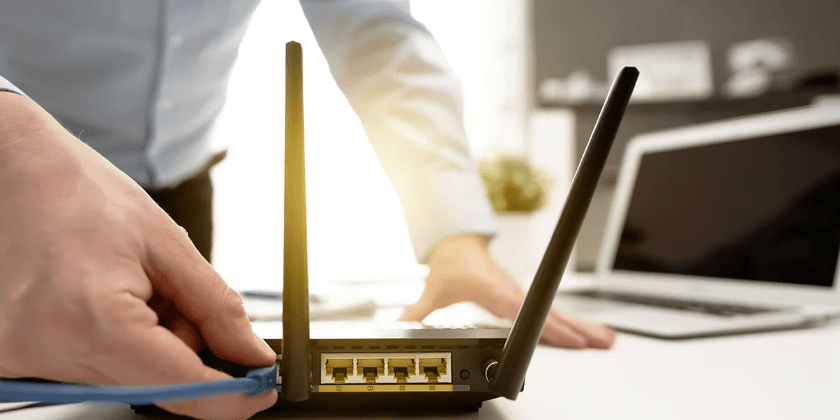
Connect the modem to the router using an Ethernet cable, then connect the router to a power source.
Turn On the Devices
Power on the modem first, wait until it is fully connected, and then turn on the router.
Access the Router Settings
Use a computer or smartphone connected to the router to open its configuration interface.
Configure Internet Settings
If required, enter the connection information provided by your internet service provider.
Create a Wi-Fi Network
Choose a network name (SSID) that is easy to recognize but does not reveal personal information.
Set a Strong Wi-Fi Password
Protect your wireless network with a unique and secure password.
Save the Configuration
Apply the settings and allow the router to restart if necessary.
Connect Your Devices
Join the Wi-Fi network or use Ethernet cables to connect computers and other devices.
Important Router Settings
Wi-Fi Network Name
Assign a unique name that helps identify your wireless network.
Wi-Fi Password
Use a long and complex password to prevent unauthorized access.
Wireless Security
Enable the latest supported Wi-Fi encryption available on your router.
Guest Network
Create a separate network for visitors to protect your primary devices.
Firmware Updates
Keep the router’s firmware updated to improve performance and security.
Key Features of Modern Routers
Dual-Band and Tri-Band Wi-Fi
Support for multiple wireless frequency bands improves performance and reduces congestion.
Parental Controls
Allow parents to manage internet access and filter online content.
Quality of Service
Prioritizes important network traffic such as video calls or gaming.
Device Management
Displays connected devices and allows administrators to manage network access.
Security Features
Many routers include built-in firewall protection and advanced security options.
Benefits of Proper Router Setup
Faster Internet Performance
Correct configuration helps maximize your available internet speed.
Better Wi-Fi Coverage
Proper router placement improves wireless signal strength throughout your home or office.
Enhanced Security
Strong passwords and updated firmware reduce the risk of unauthorized access.
Reliable Connectivity
A well-configured router provides stable connections for multiple devices.
Improved User Experience
Streaming, gaming, video conferencing, and web browsing perform more smoothly.
Common Router Setup Problems
No Internet Connection
Check cables, modem status, and internet service availability.
Weak Wi-Fi Signal
Move the router to a more central location and reduce physical obstructions.
Slow Internet Speeds
Restart the modem and router, reduce network congestion, and update firmware.
Devices Cannot Connect
Verify the Wi-Fi password and ensure the device supports the router’s wireless standards.
Tips for Better Router Performance
Place the Router Centrally
Install the router in an open, central location for better wireless coverage.
Keep Firmware Updated
Regular updates improve security, compatibility, and network performance.
Reduce Interference
Keep the router away from thick walls, large metal objects, and electronic devices that may interfere with Wi-Fi signals.
Restart Occasionally
Restarting the router periodically can help resolve temporary network issues.
Use Wired Connections When Possible
Ethernet connections provide faster and more stable performance for desktop computers, gaming consoles, and streaming devices.
Advantages of a Properly Configured Router
Secure Internet Access
Protects your network from unauthorized users and common cyber threats.
Efficient Device Management
Supports multiple connected devices without significantly reducing performance.
Stable Wireless Networking
Provides reliable internet access throughout your home or workplace.
Future Expansion
Modern routers can support additional smart home devices and increasing internet demands.
Frequently Asked Questions
What is router setup?
Router setup is the process of installing and configuring a router to provide internet access and manage a local network.
Do I need both a modem and a router?
In many cases, yes. The modem connects to your internet service provider, while the router shares that connection with your devices. Some internet gateways combine both functions into a single device.
How do I create a secure Wi-Fi network?
Use a strong password, enable modern wireless encryption, update your router’s firmware regularly, and disable unused features if they are not needed.
Why is my Wi-Fi signal weak?
Poor router placement, physical obstacles, interference from other electronics, and long distances from the router can reduce signal strength.
How often should I restart my router?
Occasional restarts can help resolve temporary connectivity issues, although frequent restarts are generally unnecessary if the network is functioning properly.
Conclusion
Proper router setup is essential for creating a fast, reliable, and secure home or office network. By connecting the hardware correctly, configuring wireless settings, enabling strong security features, updating firmware, and positioning the router for optimal coverage, users can enjoy stable internet access for streaming, gaming, remote work, online learning, and everyday browsing. Regular maintenance and good network security practices help ensure consistent performance and protect connected devices from potential threats.
